


Obtenha acesso instantâneo a um ambiente TrueFoundry ao vivo. Implante modelos, direcione o tráfego de LLM e explore a plataforma completa — seu sandbox estará pronto em segundos, sem necessidade de cartão de crédito.


What are databases and what are they used for?


The databases play an important role in our life and we use them every day without even realizing it. Your bank balance, your online purchases, your queue for a movie stream, and your map route are all stored in a database. Along with the increasing amount of data comes the increasing need to store it in a way that is accessible quickly, reliably, and safely.
In this guide, you will get answers to questions about databases: their structure, how they work, the main types, and where they fit in today's technology, including AI.
What is a database?
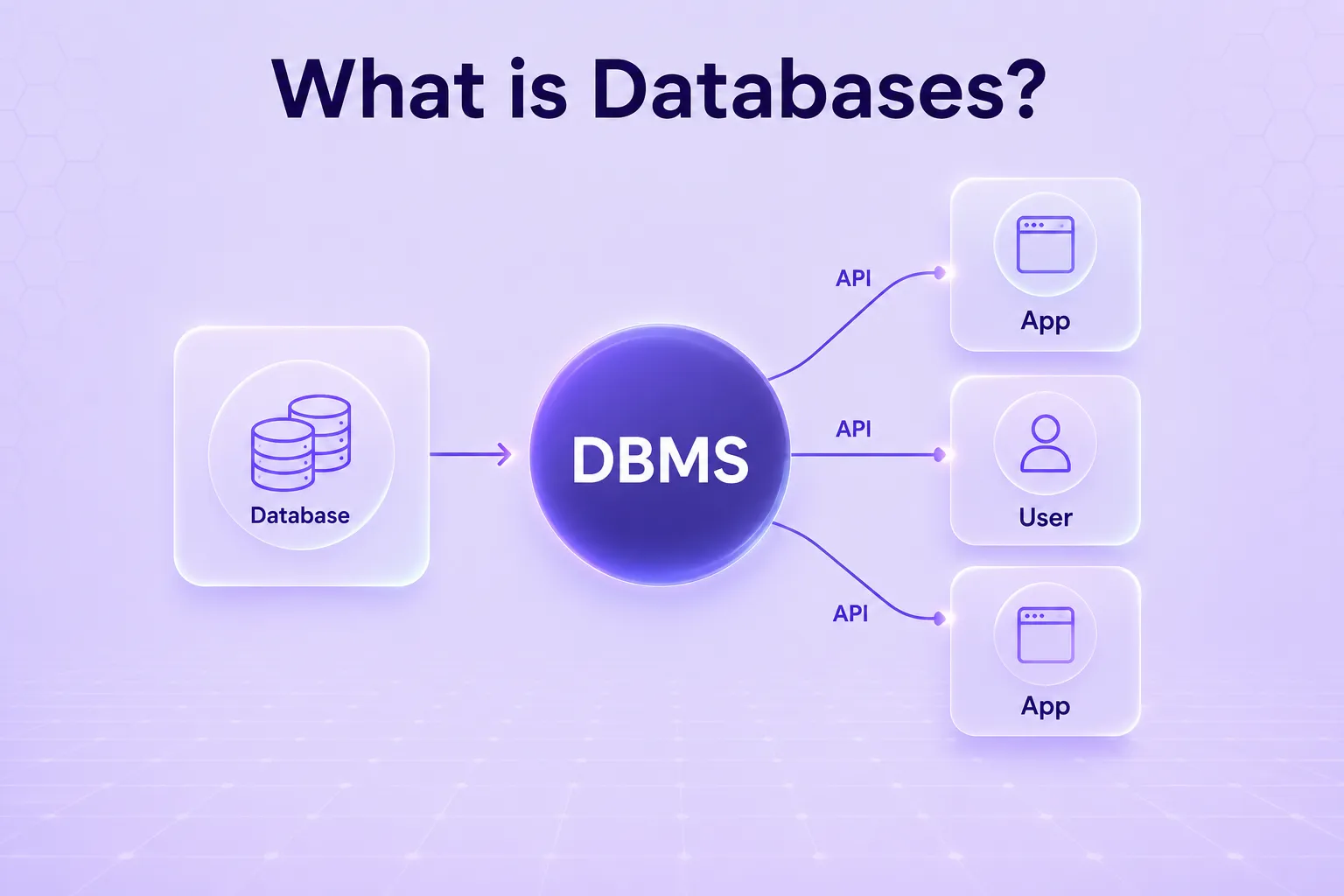
A database is a set of structured data that software can access, manage, update, and control. Imagine a digital filing cabinet, in which everything has its place and name.
Take an online store. It needs to track:
- Customer information
- Product details
- Order history
- Payments and shipping status
Instead of manually looking through various spreadsheets, the store queries the database and gets an answer within milliseconds.
What are the key components of a database?
A few elements appear in almost every database.
- Data. The information itself: names, numbers, text, timestamps, files.
- Schema. The structure that defines what is stored and how pieces relate.
- Tables, records and fields. In relational systems, tables hold records (rows), and each record has fields (columns).
- Indexes and keys. Indexes speed up lookups. Primary and foreign keys identify records and link tables.
- DBMS. The software that manages all of the above.
Also read: Kubernetes for data scientists
How do databases work?

1. Structuring the data
The first step is organizing data into a model: tables for relational systems, documents, key-value pairs or graphs for others. A clear structure makes later queries fast and predictable.
2. Processing commands (the DBMS)
Applications send commands, such as SQL queries, to the database management system. It parses them, plans the cheapest way to run them, and executes the plan.
3. Retrieving data with indexes
When a request arrives, the DBMS uses indexes to jump to the right records rather than scanning everything. A good index can turn a slow query into a fast one.
4. Ensuring reliability (ACID)
Transactional databases follow ACID principles: atomicity (all or nothing), consistency (rules stay valid), isolation (concurrent work does not interfere) and durability (committed data survives crashes).
5. Physical storage
Underneath, data is written to disk or memory in pages, with logs and backups so it can be recovered. Cloud databases add replication across machines and regions.
What are the types of databases?

No single design fits every job. The table below compares the main types, and the sections after it explain each in a few lines.
Relational databases
Relational databases store data in tables linked by keys. They are strong at structured data, joins and transactions, which is why they run most business systems.
SQL databases
SQL databases use Structured Query Language to define and query data. SQL is a standard skill, so it is easy to hire for and well supported by tools.
PostgreSQL
PostgreSQL is a widely used open-source relational database known for reliability, standards support and extensions. One of them, pgvector, adds vector search, which is why it often shows up in AI projects.
NoSQL databases
NoSQL databases drop the fixed table model in favor of flexibility and horizontal scale. They come in several shapes.
Key-value databases
Key-value databases map a unique key to a value. They are very fast, which makes them common for caching and session storage.
Document databases
Document databases store JSON-like documents, so each record can have a different shape. They suit catalogs and user profiles that change often.
Graph databases
Graph databases focus on relationships between entities. They are a good fit for recommendations, fraud detection and knowledge graphs.
Time-series databases
Time-series databases are tuned for timestamped data such as metrics and sensor readings, with fast writes and efficient time-range queries.
Object-oriented databases
Object-oriented databases store data as objects, the same way object-oriented code models it. They are a niche choice, used where that match simplifies development.
Also read: Building Compound AI Systems with TrueFoundry and MongoDB
Why do databases matter?
Databases are very important because almost all applications require reliable data storage. They let you:
- Store large amounts of data in an organized way
- Retrieve exactly what you need quickly
- Let many users and apps work at once without corrupting data
- Protect data with access control, encryption and backups
- Keep data accurate through rules and transactions
What is the difference between a database and a spreadsheet?
A spreadsheet is perfect for an individual user, or a small team, who works with data presented in a single table. A database is built specifically for many users and applications, huge amounts of data, strict rules, and reliable transactions. Many projects start in a spreadsheet and move to a database once the data or the number of users outgrows it.
Everyday use cases for databases
Databases sit behind most digital services.
- E-commerce: products, carts, orders and inventory.
- Banking: accounts and transactions that must never be lost or duplicated.
- Healthcare: patient records with strict access rules.
- Social and media apps: profiles, posts and feeds.
- Logistics: tracking, routing and delivery status.
Importance of databases for different technologies
Databases are a core part of nearly every technical field.
Databases for web development
Web apps use databases to store accounts, content and sessions, and to serve pages built from stored data.
Databases for mobile development
Mobile apps keep a local database on the device for offline use and sync with a server database when connected.
Databases for DevOps
DevOps teams run, monitor, back up and scale databases, and use them to store logs, metrics and deployment state.
Databases for data engineering
Data engineers move data between systems, clean it, and load it into databases and warehouses for analysis.
Databases for data science
Data scientists query databases to build datasets for analysis and model training.
Databases for artificial intelligence
AI systems depend on data at every stage. Training data lives in databases and warehouses. Retrieval-augmented generation relies on vector search over embeddings. Agents read and write business data through tools, and need guardrails when they do. The MCP gateway and AI gateway give those connections access control and an audit trail, and talk to us if you want to see how that works.
Also read: Querying structured and unstructured data with MCP tools and AI security risks.
Databases for cloud computing
Cloud providers offer managed databases that handle patching, backups, replication and scaling, so teams spend less time on operations.
Databases for blockchain and Web3
Blockchains are a kind of distributed ledger. Apps built on them often pair the chain with an ordinary database for fast queries and off-chain data.
Conclusion
Databases are the foundation under most software. Understanding the basics, the main types and the tradeoffs helps you choose a store that fits your data and your access patterns. As AI apps start reading and writing business data, the way you connect and govern those databases matters just as much as which one you pick.
Govern, Deploy and Trace AI in Your Own Infrastructure


- © 2022 ENSEMBLE Tecnologias



Assine nossa newsletter
As últimas notícias, artigos e recursos enviados para sua caixa de entrada


