November 18, 2026
|
5 min read


Blazingly fast way to build, track and deploy your models!
Claude Code asks before it does anything that changes your machine. Write a file, run a command, call an API: it stops and waits for a yes. Those prompts are on purpose. They're what stops an autonomous agent from doing damage while you're looking at something else.
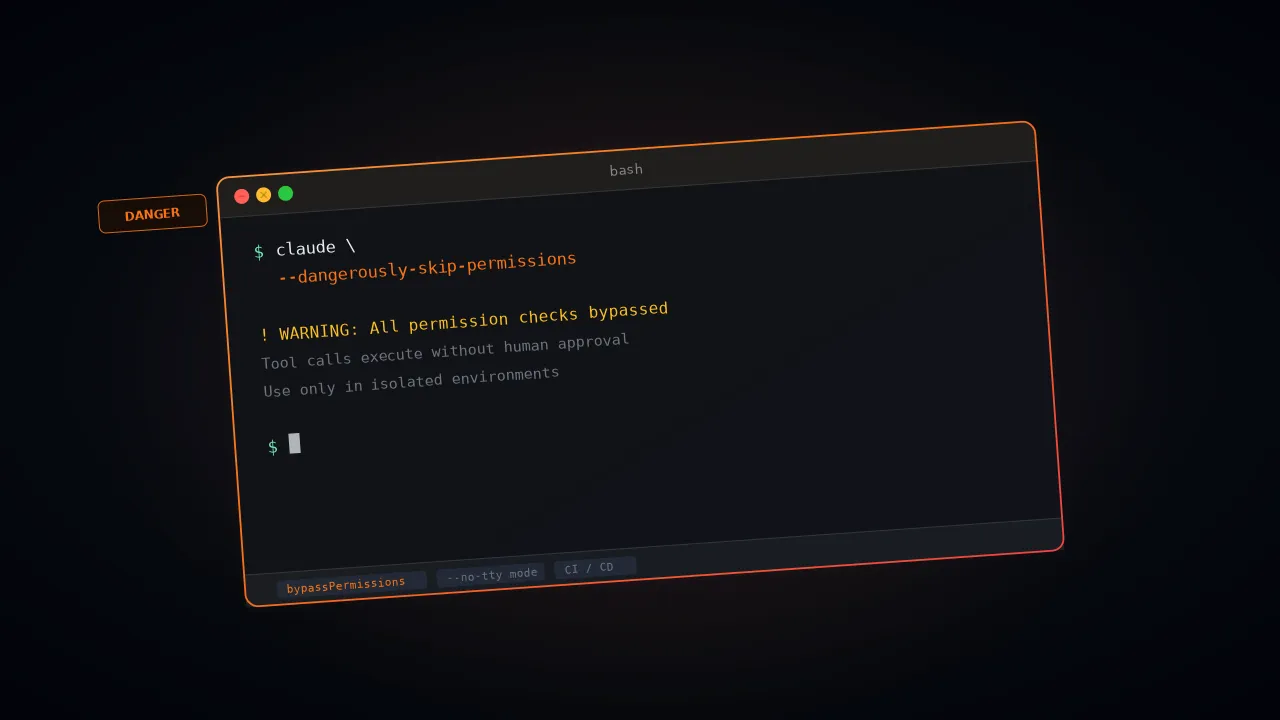
The --dangerously-skip-permissions flag turns them off. Anthropic picked a scary name because the flag does what it says.
The failures are well documented. In December 2025 a user asked Claude Code to clean up packages in an old repo. It generated rm -rf tests/ patches/ plan/ ~/, and the trailing ~/ expanded to the whole home directory. Desktop files, Keychain passwords and app data were gone. Simon Willison flagged it on X and the original Reddit post got a lot of attention.
This guide covers what the permission system does, what the flag removes, when it's safe, and what to use instead. The short version is that the flag is fine in a throwaway container and a bad idea almost everywhere else.

Claude Code is built around permission modes. Out of the box it can read freely but has to ask before it changes anything. Reading files, listing directories, searching the codebase and navigating code all run without a prompt, since none of them change state.

Everything else asks first: file writes, new directories, shell commands, package installs, external API calls and MCP tool calls. Sensitive things, like credentials, secrets and irreversible actions such as pushing to a remote or deleting data, get extra scrutiny.
The catch is volume. A ten-file refactor can trigger thirty prompts, and after the first few most people stop reading them and click yes. That habit is a failure of its own, and it's the reason the bypass flag exists.
Which actions need approval depends on the mode you're in. Anthropic's docs list six:

For how teams set these rules across many developers, see our guide to building an enterprise Claude Code usage policy and the enterprise security guide for Claude.
The flag is a command-line argument that puts Claude Code into bypassPermissions mode. These two commands do the same thing:
There's no short alias and no -y. You type the whole flag, and that's deliberate. Once it's on, file writes, shell commands, network calls and MCP tool calls all run without a pause.
A few details trip people up:
It still has limits. Deny rules block in every mode, including this one, and allow rules have no effect. Commands that delete critical paths, such as rm on your home directory, the filesystem root or the working directory, still stop. Rules you marked with ask still prompt. Hooks configured on PreToolUse also still run.
It lets protected paths through. Writes to folders like .git, .vscode, .husky and .claude, and to files like your shell rc files and .mcp.json, are allowed in bypass mode. In other modes they prompt.
You can't switch into it mid-session. The session has to start with the flag. --allow-dangerously-skip-permissions adds the mode to the Shift+Tab cycle without turning it on.
It won't run as root. On Linux and macOS, Claude Code refuses to start in bypass mode as root or under sudo unless it detects a recognized sandbox.
It can override plan mode. Plan-mode blocks aren't enforced in interactive terminal sessions where bypass is available. If you think you're in read-only planning, check the mode.
Admins can shut the mode off for the whole organization in managed settings:
Anthropic's warning is blunt: use it only in isolated environments, and expect no protection against prompt injection or unintended actions. If you haven't limited the network, file access or credentials, the agent can reach everything your user account can.
The real use cases are narrow. In each one, either nobody is around to click approve, or the environment already contains the damage.
A pipeline can't pause for a human. Teams run Claude Code headless in build, test and review jobs, usually with -p for non-interactive mode:
The pipeline itself acts as the boundary. It decides what code the agent can see and what it can run.
Inside a purpose-built Docker container with no credentials and no outbound network, prompts add friction and no safety. Anthropic ships reference devcontainer setups with firewall rules for this. Researcher Nicholas Carlini used the flag to run 16 parallel agents that built a Rust-based C compiler in February 2026. His note in the post: run it in a container, not on your actual machine.
Big refactors across dozens of files go faster without interruptions. The usual routine is to commit your current state, run Claude Code with the flag, review everything at the end, and then commit the result or run git reset --hard. Git becomes the undo button.
None of this is theoretical. The risks fall into four groups.
Claude reads a lot of text you didn't write: repo files, issue descriptions, PR comments and documents pulled in through MCP tools. If any of it contains hidden instructions, the agent can act on them right away, because there's no prompt to catch it. Typical goals are posting sensitive data to an outside server, pushing to an untrusted remote, or stuffing credentials into a URL.
Several incidents are public. In October 2025 a developer asked Claude Code to rebuild a project from a fresh checkout on Ubuntu under WSL2. It ran an rm -rf starting from the root. The GitHub issue #10077 shows thousands of permission-denied errors for system folders, and every user-owned file on the machine was lost. He wasn't using the flag, so the normal permission system didn't stop it either.
In November 2025 a GitHub issue (#12637) described Claude creating a directory literally named ~. A later rm -rf * expanded to include it, and the shell treated it as the home directory. Then came the December Reddit incident above.
Quiet damage is just as bad. One developer documented Claude overwriting a config file with blank values, no backup and no warning. That's harder to spot than a wiped folder.
With full write access and no confirmations, Claude can read environment variables, write secrets into output files, or send them to an external endpoint. The pause before sensitive actions is often the last point where a person would notice.
If someone hijacks the session or manipulates the prompt, they inherit everything the agent can touch, with no friction in the way.

Safety comes from the environment, not the flag. Anthropic's docs point to containers and VMs for this reason. It's reasonable to use only when all of these are true at once:
git reset --hard can bring everything back.Miss any one of those and the flag is a gamble. The community view has settled on containers or don't bother.

You can cut the prompts without removing the checks. Here's how the options compare:
Anthropic built auto mode because the flag kept causing problems. Claude runs without prompts, but a separate classifier model reviews each action first. It watches for three things: Claude doing more than you asked, actions aimed at infrastructure it doesn't recognize, and actions that look driven by hostile content Claude read. Risky actions are blocked and Claude is told why, so it can try another way. After three blocks in a row, or 20 in total, auto mode pauses and goes back to asking you.
It's available on all plans and is on by default for Team and Enterprise. It needs a recent model, such as Sonnet 4.6, Opus 4.6 or Fable on the Anthropic API, and older models don't work. In current versions the built-in default can start in auto mode. By default it blocks things like curl | bash, force pushes, production deploys, mass cloud deletions and git reset --hard.
It isn't perfect. Anthropic's engineering post reports a 0.4% false-positive rate on real traffic, but it still missed 17% of real overeager actions it tested. They call it a big step up from the flag, not a substitute for careful review on high-stakes infrastructure.
The --allowedTools flag, or the permissions block in settings, lets you pre-approve exactly what Claude can do and deny the rest:
Deny rules are checked in every mode, so --disallowedTools "Bash(rm:*)" blocks rm even when bypass is on.
File edits go through automatically. Shell commands and network calls still ask. It suits prototyping or work in a folder where you trust edits but want to see commands.
Claude reads the codebase and writes a plan, and nothing runs until you approve it. Press Shift+Tab to cycle to it. It's the right pick for high-stakes changes.
For pipelines, Anthropic's docs suggest dontAsk with an explicit allowlist. Anything not allowed is denied outright, so nothing can hang waiting for a click:
PreToolUse hooks can block specific tool calls, and community configs such as the one from Trail of Bits stop rm -rf patterns and direct pushes to main. They're guardrails, not walls. On macOS, Linux and WSL2 you can also run /sandbox to confine Bash commands. Our guide to Claude Code MCP integrations covers tool-level access in more depth.

Most teams reach for the flag because prompts block their CI jobs or slow down developers. TrueFoundry moves the safety controls out of each laptop and into the platform, so there's less to turn off. Everything runs inside your own AWS, GCP or Azure account.
VPC-native execution. Claude Code sessions run in your private cloud, with network egress locked down by default. The AI Gateway sits between developers and model providers, with rate limits, budgets and access control on every request.
Scoped credentials. Production secrets never enter the Claude Code environment. Each task gets only the permissions it needs.
Per-session tool allowlists. The MCP Gateway controls which external services Claude Code can reach, without removing the confirmation layer.
Audit logs. Every action is logged whether or not the flag is on. Logs stay in your environment and can go to Grafana, Datadog or Splunk through OpenTelemetry.
RBAC. Policies decide who can start automated sessions and what those sessions can do.

Teams that run Claude Code through TrueFoundry have dropped the flag from most workflows, because the containment is already in place. For the full setup, see our Claude Code page and the guides on cost tracking and governance with an AI gateway.
Sources: Claude Code permission modes · Anthropic: Claude Code auto mode · Auto mode for Claude Code
TrueFoundry AI Gateway delivers ~3–4 ms latency, handles 350+ RPS on 1 vCPU, scales horizontally with ease, and is production-ready, while LiteLLM suffers from high latency, struggles beyond moderate RPS, lacks built-in scaling, and is best for light or prototype workloads.

Claude Code uses a permission model that requires explicit user approval before the agent performs sensitive actions — such as writing files, executing shell commands, or making network requests. Each action category is gated behind a prompt, and users must confirm or deny the request before Claude proceeds.
Claude Code asks for permissions repeatedly because its default configuration prioritizes safety. Each new action that falls outside pre-approved scopes triggers a fresh confirmation dialog, ensuring users maintain oversight over what the agent does on their system.
The dangerously-skip-permissions flag allows users to bypass Claude Code's interactive permission prompts entirely. Running Claude Code with this flag instructs it to proceed with all actions automatically, without pausing for user approval. This flag should only be used in isolated, sandboxed environments where the risk of unintended side effects is fully contained.
Yes, users can suppress permission prompts by launching Claude Code with the dangerously-skip-permissions flag. However, this approach carries real risk Claude may overwrite files, execute destructive commands, or make unintended network calls. Restricting its use to Docker containers or CI pipelines is strongly recommended.
Full permissions can be granted to Claude Code by using the `--dangerously-skip-permissions` flag at startup. This removes all interactive approval gates and allows Claude to act autonomously. For safer automation, a better alternative is pre-approving specific permission scopes through Claude's configuration file rather than disabling all checks globally.
Giving Claude access to files carries meaningful risk if done without proper boundaries. In its default mode with permissions enabled, Claude is safe to use because every file operation requires explicit confirmation. Granting full file access via the skip-permissions flag especially outside a sandboxed environment can lead to unintended modifications or data loss. Using Docker volumes or read-only mounts is a safer approach for giving Claude scoped file access.



The latest news, articles, and resources sent to your inbox