November 18, 2026
|
5 min read


Blazingly fast way to build, track and deploy your models!
When you design an agent, it sounds simple enough. Task parsing, execution planning, API invocation, observation of the result, repeat. Until you have done it for yourself, it's hard to see where the problems start.
One such request comes along that is too much for the original agent to handle. Release deployment requires a thorough review of security practices, automated testing, inspection of the API response, documentation updates. One agent could potentially manage each one of those tasks, but not all of them well at once.
So you delegate. Your release management agent hands off security concerns to the appropriate agent; automated tests go to another. Eventually, you end up with a question you did not start asking until just then: Who delegates requests to whom? What should happen if testing reveals bugs? Which approvals will be required of a human operator?
Answering any of those questions on purpose takes you down the road of graph engineering.
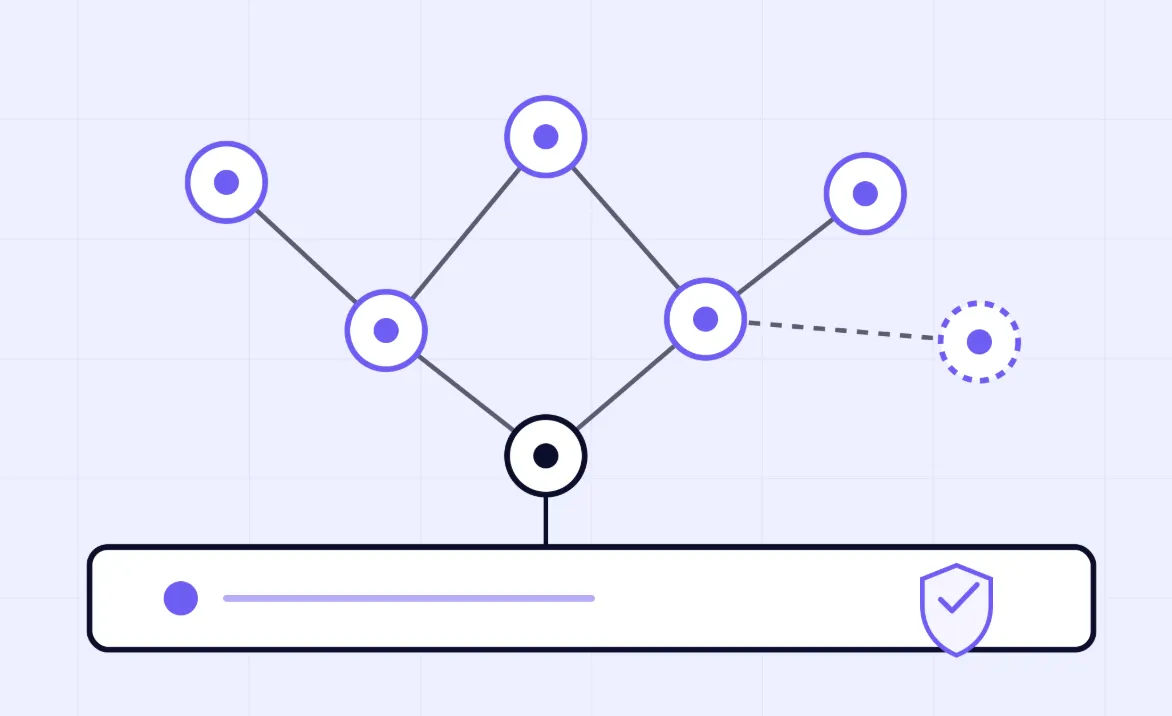
Here's the simple explanation: Diagram your system with nodes and edges. Nodes represent actors that perform work: agents, regular functions, routers, tools, or individuals required to authorize some operation. Edges define the workflow between those actors, including the artifacts exchanged, where work goes if a step fails, and who can pass work onto whom.
You'll encounter terminology for two distinct graph types, and they matter for a specific reason. Your org graph represents your steady state. This is your set of durable agents, each owning a discrete business function such as auth or billing and getting better at it over time. Your work graph depicts your ephemeral state. This refers to dynamic tasks that emerge, diverge, converge, and vanish throughout the completion of any task. Most production environments blend both elements.
Knowledge graphs get tossed into these conversations far too frequently, and the distinction bears repeating. Knowledge graphs describe information within your environment, while graph engineering describes your architecture and workflows. You may employ both approaches concurrently. But they address separate challenges with dissimilar toolkits.
The term took off on X in mid-July 2026. Peter Steinberger asked whether the conversation had moved "from loops to graphs," and the replies ran with it. Shubham Saboo put it neatly: "Loops made agent behavior programmable; graphs make agent organizations programmable." A July 18 ExplainX post then laid out the org graph and work graph idea, and by August 21 a group of 35 researchers had posted a survey on arXiv that treats graph engineering as the step after prompt, context and loop engineering.
The idea itself is old. Dataflow machines, compiler dependency graphs, MapReduce and Airflow DAGs all treated work as a graph. Multi-agent research had actors passing messages and agents bidding for tasks decades ago. And frameworks like LangGraph, CrewAI and AutoGen made graphs of agents normal in code well before anyone gave the practice a catchy name. What's new in 2026 is mostly the name, and the fact that teams are now running these systems in production.
Think of these as layers. Each one sits on top of the one before it, and none of them replaces the others.
Not all problems need a graphed workflow, and simplicity is often best. Graphs complicate matters: there is more to manage, more to fail, and more to troubleshoot than before.
An individual agent within a loop handles problems that have singular objectives and serial execution steps easily. Think help desk agents and document summary assistants, both of which fall cleanly outside the graph's jurisdiction. Fixed pipelines suffice when all phases of a process can be identified ahead of time and assigned an unambiguous place within the order of operations. Turn to graphs when specialization comes into play, when parallel processing becomes necessary, when failure in one stage shouldn't bring the others crashing down, or when a failed verification means sending work back for a second round.
Most real systems mix a few of these.
You don't need a framework in your head here. Just start thinking in those terms – literally with boxes on a whiteboard.
Nodes have jobs, and those jobs are specific. A "code security checker" is fine as a node name. "Release handler" is too vague. Specificity means the job is easy to test, making it obvious when the node performs badly at runtime.
The next element is where things get interesting: edge descriptions. Detail how each handoff takes place by describing what travels along the edge and what triggers it, including failure cases. What happens if your router receives something unexpected back from a node?
Data access boundaries define your safe operating conditions. Without proper isolation of internal state between each component in your pipeline, one bad decision made in an earlier stage could quietly wreck input parameters at another stage, resulting in unauthorized information exchange. Keep operational data separate from agent context: statuses, identifiers, and other transient data live somewhere else entirely.
Failure is inevitable; account for recovery mechanisms now. Define timeouts, retry counts, and fallback destinations, usually a human. Each task execution requires three distinct ID values: graph, run, and node IDs, each of which gets routed throughout all subtask calls on models and tools. This will be important later on.
Once a graph is live, the hard questions are less about design and more about control. Who did what, what did it cost, and could it have touched something it shouldn't?
Start with identity. Any node that calls models or tools on its own needs its own identity, not a shared key. When something goes wrong, "the graph did it" won't satisfy an auditor. In TrueFoundry, that's a virtual account per node or service, with RBAC and per-user delegation where you need it.
Then scope tool access. A security reviewer node shouldn't be able to call the deploy tool. With the MCP Gateway, you can give each node a virtual MCP server that only exposes the tools it's meant to use. Guardrails can run on model input and output and before and after each tool call, to catch or redact risky content as it moves between nodes. They help, but they don't make prompt injection between agents go away.
Cost needs the most attention. Fan-out, retries and spawned subtasks can multiply calls fast. The gateway doesn't know which graph a request belongs to unless you tell it, so pass your IDs as metadata on every call:
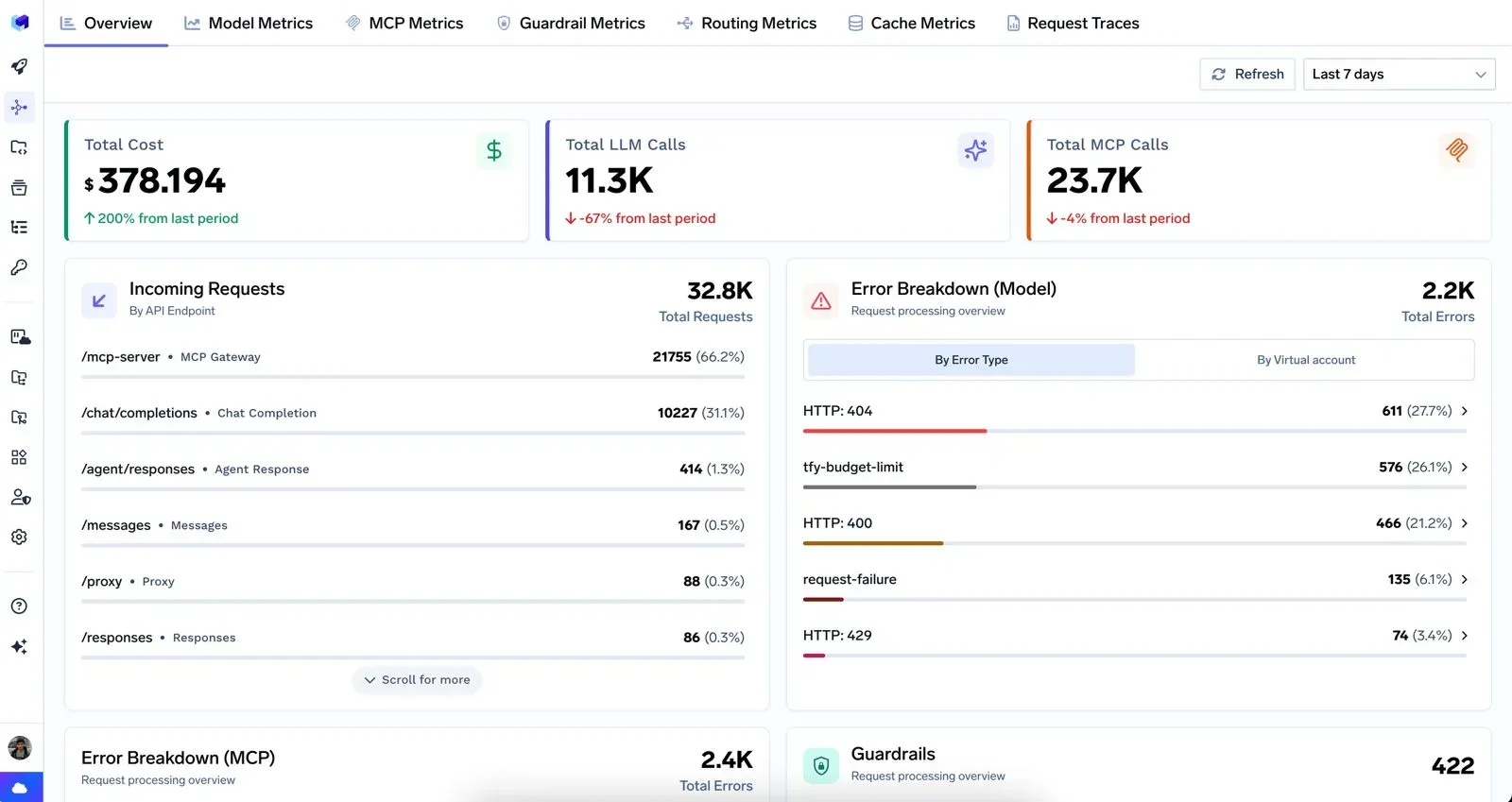
With those IDs in place, you can set budgets and rate limits per graph or per node, and break down cost, latency, models and tools by node in the metrics dashboard. Your orchestrator still owns the graph itself. The gateway adds the cost, policy and tool records for every call it sees, and the shared IDs let you line the two up.
For the agent nodes themselves, TrueFoundry's Agent Harness gives you a managed place to run each loop, with memory, MCP tool access, step-level traces with cost per step, and human approval before sensitive actions. In a graph, those approvals become checkpoints on the edges where mistakes would hurt the most.
If your team has to take a multi-agent graph to production this quarter, these are the questions we'd want answered first. Any one you can't answer is a likely place for the first incident.
It's the practice of designing a multi-agent system as an explicit graph: which agents, tools and human checkpoints exist, what each one owns, and how work moves between them, including what happens when a step fails.
No. A knowledge graph stores what a system knows as entities and relationships. Graph engineering is about how the agents in a system are organized and hand work to each other. You can use both in the same product.
No. Most nodes in a graph are still agents running loops. Graph engineering is the layer above, and it decides how those loops connect. If the loops are unreliable, a good graph won't save you.
LangGraph builds agents as explicit graphs, and CrewAI and AutoGen also coordinate teams of agents. You can build a graph on any orchestrator that lets you define nodes, edges, retries and approval steps.
The name is new. It caught on in July 2026. The idea isn't: DAGs, workflow engines and multi-agent research have treated work as a graph for decades. What's changed is that teams now run agent graphs in production, where identity, cost and tracing matter.
TrueFoundry AI Gateway delivers ~3–4 ms latency, handles 350+ RPS on 1 vCPU, scales horizontally with ease, and is production-ready, while LiteLLM suffers from high latency, struggles beyond moderate RPS, lacks built-in scaling, and is best for light or prototype workloads.




The latest news, articles, and resources sent to your inbox