


May 23, 2024
|
5 min de lecture


Accédez instantanément à un environnement TrueFoundry en direct. Déployez des modèles, acheminez le trafic LLM et explorez la plateforme complète : votre sandbox est prête en quelques secondes, aucune carte de crédit n'est requise.



Published: October 6, 202612

Une méthode incroyablement rapide pour créer, suivre et déployer vos modèles !
Context engineering is the discipline of designing the full set of information a model receives at each step of an agent's execution. In an agent runtime, context is everything the model sees on a given step, which includes the system instructions, the skills that are in scope, the definitions of available tools, the conversation history, and the results returned by tools.
That is a much larger surface than a single prompt. And it is dynamic: every tool call adds a result back into the context on the next step, so the information environment keeps changing as the agent works. Context engineering is how you keep that environment focused, relevant, and within budget instead of letting it fill with noise.
The two are related but operate at different scopes, and conflating them is why some teams plateau. Prompt engineering asks "how do I word this one request." Context engineering asks "what should the model have in front of it, on every step, to do this job well."
Neither replaces the other. You still word instructions carefully, but for an agent that is a small slice of a much bigger design problem. As context windows grow, the temptation is to pour everything in, and that is exactly the trap context engineering avoids: more context is not better context, and an overloaded window degrades recall and raises cost.
A few practices carry most of the value when engineering context for agents.
Context engineering is only sustainable if the pieces are managed, not hand-assembled per agent. TrueFoundry gives you control points for each part of the context.
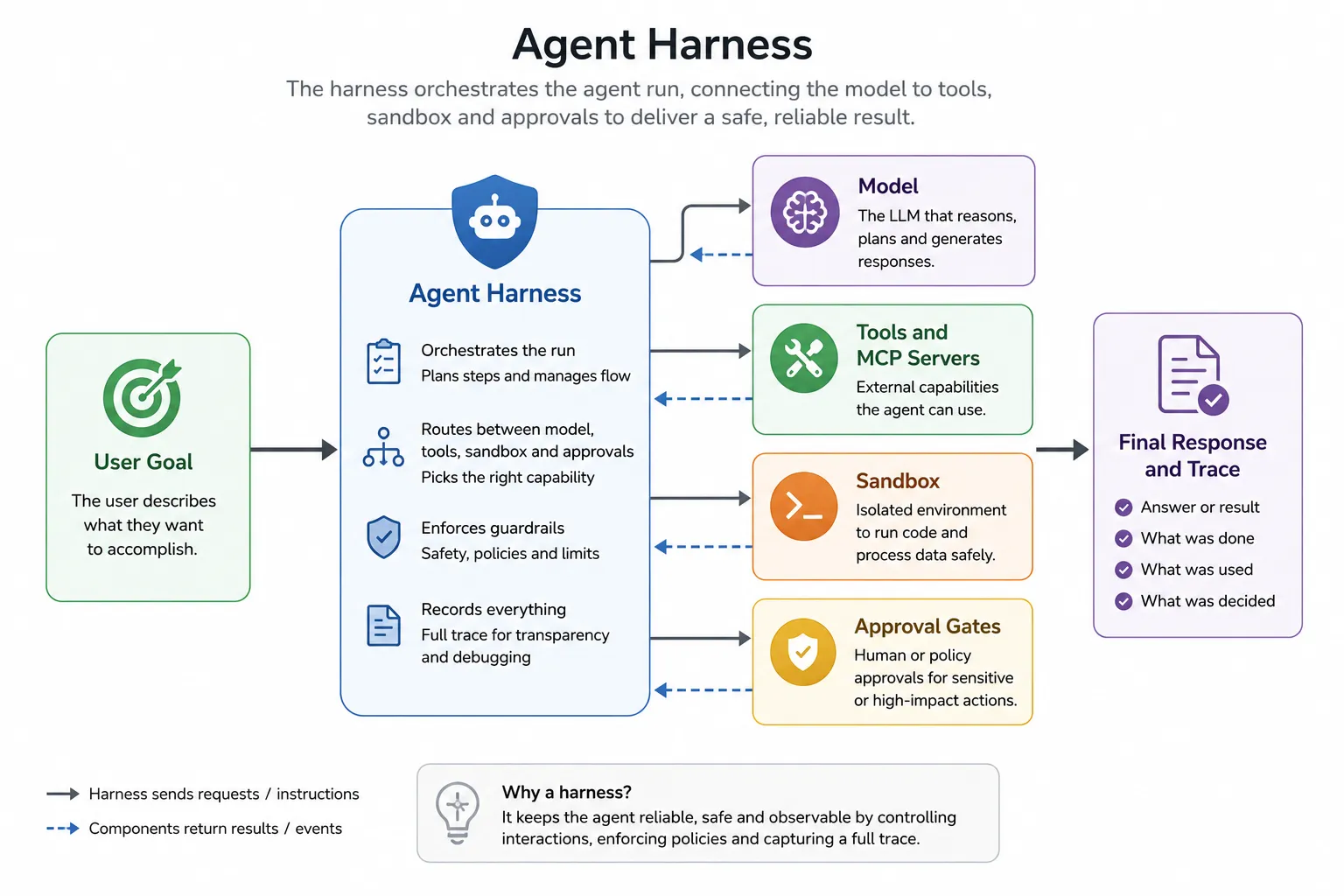
In the Agent Harness, you configure the context when you build the agent: the system prompt, the skills in scope, and which MCP servers are available. That makes the context an explicit, reviewable configuration rather than something buried in code.
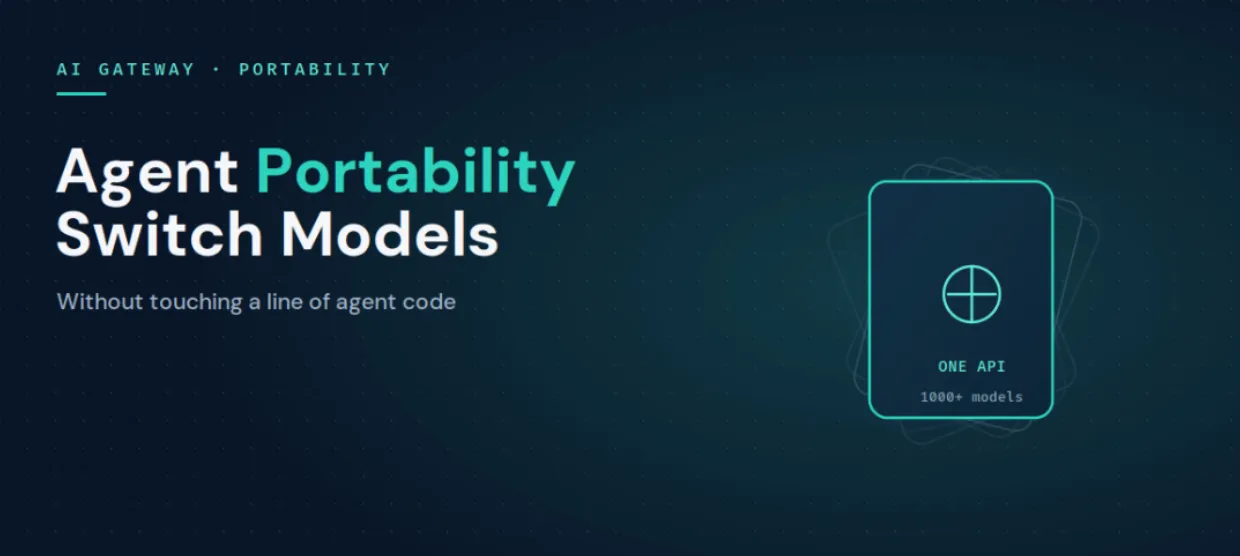
Underneath all of it, the AI Gateway routes each call across 1,000+ models with roughly 3 to 4 ms of overhead, so the model best suited to a given step is a routing choice, not a rewrite. The result is that context becomes something you design and govern in one place, rather than a side effect of how each agent happened to be coded.
Context engineering is the shift from wording one prompt to designing everything a model sees across an agent's entire run. Get the instructions, skills, tools, history, and tool results right, and the agent stays focused and affordable; get them wrong, and no amount of prompt tuning saves it. TrueFoundry turns those pieces into managed configuration through the Agent Harness, Skills Registry, MCP Gateway, and full tracing, so context is something you design and govern rather than something that happens to you.
See how TrueFoundry gives you control over your agents' context from one control plane. Book a demo or start free.
TrueFoundry AI Gateway offre une latence d'environ 3 à 4 ms, gère plus de 350 RPS sur 1 processeur virtuel, évolue horizontalement facilement et est prête pour la production, tandis que LiteLM souffre d'une latence élevée, peine à dépasser un RPS modéré, ne dispose pas d'une mise à l'échelle intégrée et convient parfaitement aux charges de travail légères ou aux prototypes.




.webp)
.webp)

L'ingénierie de contexte est la pratique qui consiste à concevoir tout ce qu'un modèle voit à chaque étape de l'exécution d'un agent : instructions système, skills, définitions d'outils, historique de la conversation et résultats des outils. Elle va au-delà de la formulation d'un seul prompt et façonne tout l'environnement d'information dans lequel l'agent opère, afin qu'il reste concentré, pertinent et dans les limites de son budget de contexte.
L'ingénierie de prompts ajuste un seul message : sa formulation, ses exemples et son format. L'ingénierie de contexte conçoit l'ensemble du contexte qu'un agent voit à chaque étape, y compris les skills et les outils qui entrent dans son périmètre et la manière dont l'historique et les résultats des outils sont gérés. L'ingénierie de prompts corrige une réponse faible ; l'ingénierie de contexte corrige la dérive, la prolifération des outils et l'inflation du contexte dans les agents à plusieurs étapes.
Gardez le contexte de base léger en déplaçant les procédures dans des skills que l'agent charge à la demande, délimitez strictement les outils pour que seules les définitions nécessaires soient présentes, gérez l'historique de la conversation afin que les anciens tours n'encombrent pas la fenêtre, et traitez les résultats des outils comme un contexte non fiable qui doit être inspecté. C'est le fait de gérer tout cela comme de la configuration plutôt que comme du code qui rend la démarche reproductible.
Non. Une fenêtre plus grande incite à tout inclure, mais un contexte surchargé dégrade le rappel et augmente les coûts. L'ingénierie de contexte consiste à placer la bonne information devant le modèle, ce qui compte davantage, et non moins, à mesure que les fenêtres s'agrandissent.
Oui. L'Agent Harness vous permet de configurer les instructions système, les skills issues du Skills Registry central et les serveurs MCP qu'un agent peut atteindre, et la MCP Gateway délimite l'accès aux outils : les éléments du contexte d'un agent sont ainsi gouvernés de manière centralisée.
Oui. TrueFoundry s'exécute dans votre VPC, on-premise, en environnement air-gapped ou en hybride, de sorte que le trafic vers Gemini 3 Pro et tous les autres modèles reste gouverné dans votre propre domaine.



Les dernières nouvelles, articles et ressources envoyés dans votre boîte de réception

.webp)


.webp)

.png)
.png)
.png)
.png)
.png)






.png)




